Google Analytics 4 for Shopify Stores
GA4 tells you how many people visited your store. Shopify tells you who bought. Mocha Analytics brings both together so you can see sessions, conversion rates, and revenue in one place - no more switching between GA4 and Shopify.
Google API Limited Use Disclosure: Mocha Analytics' use and transfer to any other app of information received from Google APIs will adhere to the Google API Services User Data Policy, including the Limited Use requirements.
What You Get
By connecting your GA4 property, Mocha Analytics adds traffic data to your Shopify numbers:
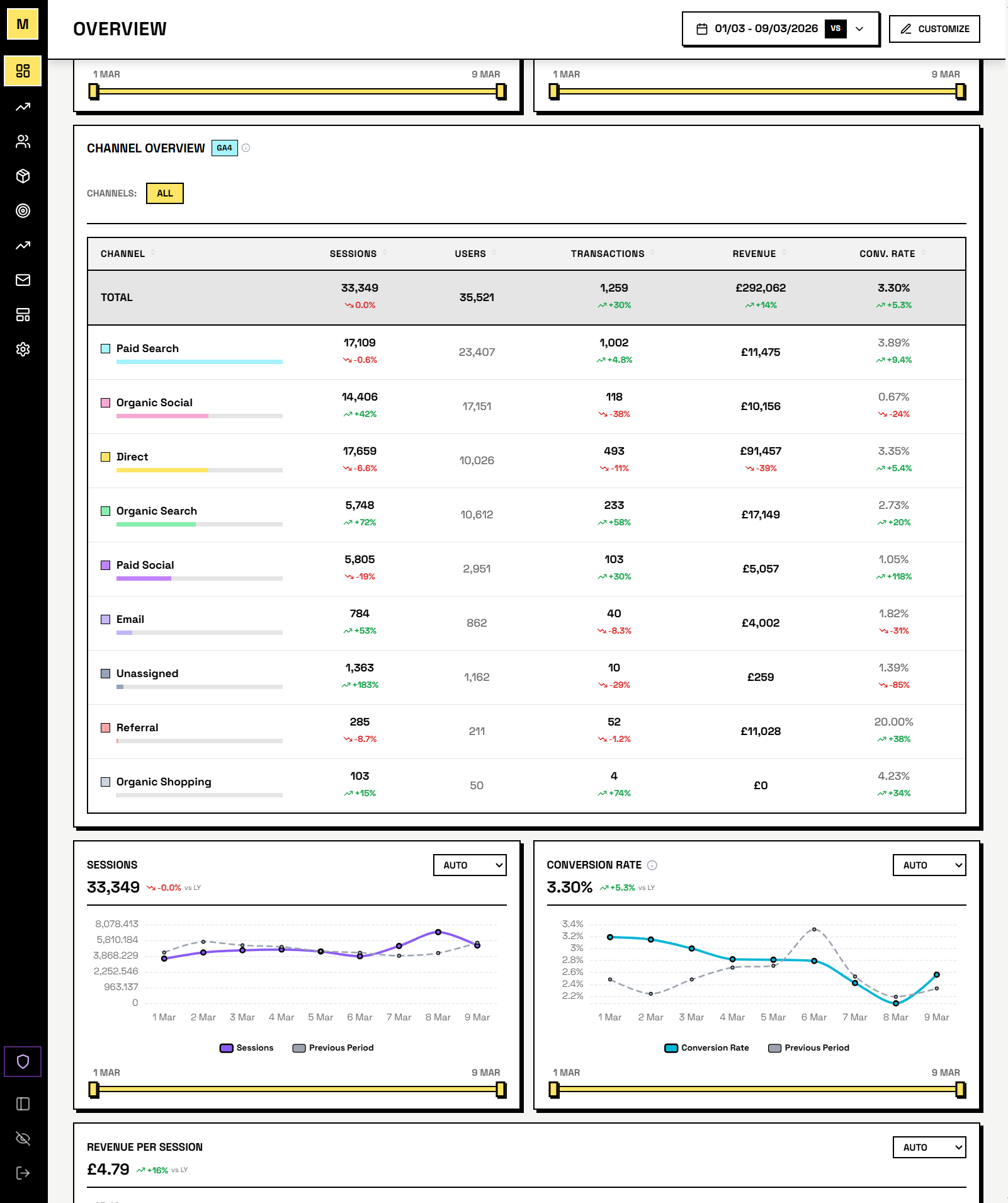
- Real conversion rates - GA4 sessions divided by Shopify orders, broken down by channel and device.
- Channel-level performance - see which traffic sources (organic, paid, direct, email, social, referral) drive revenue, not just visits.
- Device insights - compare desktop, mobile, and tablet conversion rates side by side to spot where you're losing customers.
- Year-over-year traffic trends - overlay this year's sessions against last year to separate real growth from seasonal patterns.
- Daily analysis in Pulse - Pulse uses your GA4 data to explain why revenue changed. Was it fewer sessions, lower conversion, or a shift in channel mix?
What Data We Access
Mocha Analytics requests read-only access to the following GA4 data via OAuth 2.0 authorization:
- Sessions: Total sessions, session duration, and engagement metrics by date
- Traffic sources: Channel groupings (organic, paid, direct, referral, email, social) and source/medium breakdown
- Device breakdown: Desktop, mobile, and tablet session distribution
- Conversions: Transaction events, purchase revenue, and ecommerce conversion rates
All access is read-only. Mocha Analytics never modifies your GA4 property configuration, events, conversions, or any other settings. We only read analytics data.
How We Use It
Your GA4 data is used exclusively to:
- Display session trends and traffic source breakdowns in your dashboard
- Calculate conversion rates by combining GA4 sessions with Shopify orders
- Show device-level performance (desktop vs mobile vs tablet)
- Power channel attribution analysis across organic, paid, and direct traffic
- Surface traffic insights in your daily Pulse briefing
- Include session and conversion summaries in scheduled email digest reports
We do not use your GA4 data for advertising, profiling, or any purpose other than displaying analytics to you. Your data is never sold, shared with third parties, or used to build user profiles.
Security & Privacy
- OAuth 2.0: We use Google's standard OAuth 2.0 flow to request authorization. Your Google password is never shared with Mocha Analytics.
- Encryption: All data is encrypted in transit (TLS/SSL) and at rest. API credentials are stored using application-level encryption.
- Limited Use: Mocha Analytics' use and transfer of information received from Google APIs adheres to the Google API Services User Data Policy, including the Limited Use requirements.
- Revocation: You can disconnect GA4 from your Mocha Analytics account settings at any time. You can also revoke access at myaccount.google.com/permissions.
For full details on how we store, retain, and protect your data, see our Privacy Policy and Terms of Service.
How to Connect
Connect your GA4 property in your Mocha Analytics dashboard under Settings > Integrations. You will be asked to authorize read-only access via Google's OAuth consent screen and select your GA4 property.
Connect Your GA4 Property
Mocha Analytics is in closed beta. Request access to connect your GA4 property and see traffic data alongside your Shopify revenue.