Meta Ads Analytics for Shopify Stores
You're running Facebook and Instagram ads to drive traffic to your store. But are they actually generating profitable revenue? Mocha Analytics puts your Meta ad spend next to your Shopify revenue so you can see which campaigns deliver real returns.
Why Connect Meta Ads
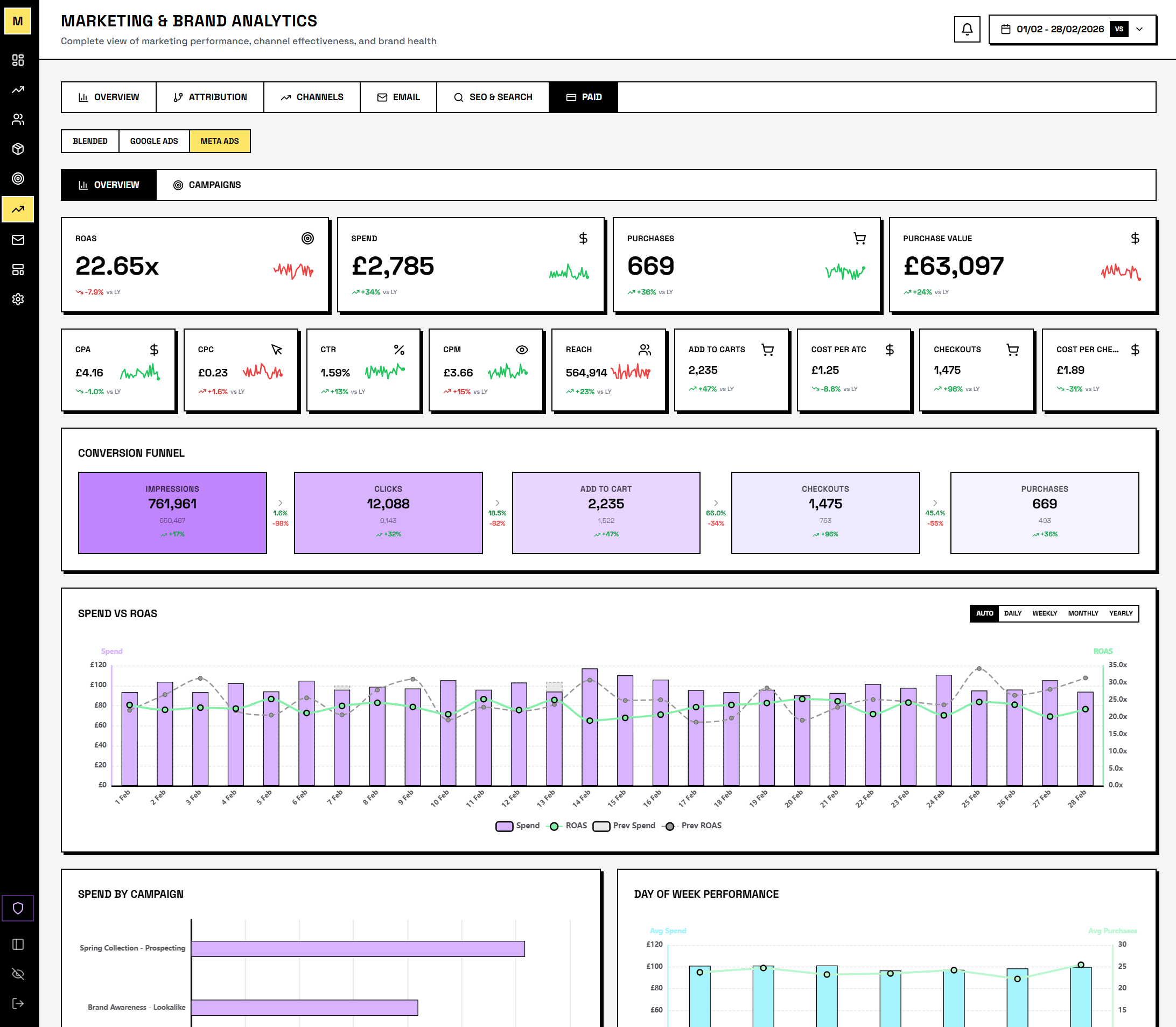
- True ROAS from Shopify data - Meta's conversion tracking relies on pixel attribution which misses returns, cancellations, and cross-device journeys. Mocha Analytics calculates ROAS from your actual Shopify revenue.
- Spend alongside everything else - see Facebook and Instagram spend, CPM, and CPC next to your Shopify conversion data.
- Daily spend analysis in Pulse - Pulse flags when revenue changes correlate with Meta spend shifts.
- Campaign-level breakdown - compare performance across campaign objectives and ad sets with metrics that tie directly back to Shopify orders.
- Daily email digests - get your Meta Ads performance alongside Shopify, GA4, and Google Ads metrics in a single morning email.
What Data We Access
Mocha Analytics requests read-only access to the following Meta Ads data via the Meta Marketing API:
- Campaign performance: Impressions, clicks, spend, CPM, CPC, and ROAS for each campaign
- Ad set performance: Audience targeting results, budget utilisation, and delivery metrics
- Ad creative performance: Performance breakdown by individual ad creative
- Account-level metrics: Total spend, impressions, and return on ad spend across all campaigns
All access is read-only. Mocha Analytics never modifies your campaigns, budgets, audiences, or ad creative. We cannot make changes to your Meta Ads account.
We do not use your Meta Ads data for advertising, profiling, remarketing, or any purpose other than displaying analytics to you. Your data is never sold, shared with third parties, or used to build advertising profiles.
Security & Privacy
- OAuth 2.0: We use Meta's standard OAuth flow to request authorization. Your Meta credentials are never shared with Mocha Analytics.
- Encryption: All data is encrypted in transit (TLS/SSL) and at rest. API credentials are stored using application-level encryption.
- Minimal Permissions: We only request the
ads_readpermission scope. We do not request write access to your ad account. - Revocation: You can disconnect Meta Ads from your Mocha Analytics account settings at any time. You can also revoke access from your Meta Business Settings.
For full details on how we store, retain, and protect your data, see our Privacy Policy and Terms of Service.
How to Connect
Connect your Meta Ads account in your Mocha Analytics dashboard under Settings > Integrations. You will be asked to authorize read-only access via Meta's OAuth consent screen and select your ad account.
See What Meta Ads Actually Return
Mocha Analytics is in closed beta. Request access to see Meta spend alongside real Shopify revenue.